
Laptop Privacy Screens
Magnetic vs Direct-Attach vs Clip Laptop Privacy Screens
Compare magnetic, nano direct-attach, clip and full-adhesive laptop privacy screens by device edge, removal needs, fleet mix and fit-confirmation inputs.

Choosing a laptop privacy screen for a fleet is an attachment decision as much as a filter decision. Magnetic, nano direct-attach, clip and static or full-adhesive paths can all be useful, but the right choice depends on the device list, removal frequency, lid and bezel conditions, and the buyer’s fit evidence.
This guide compares the four available paths without treating one attachment label as universally better. Start with the deployment pattern, record the actual devices and visible display areas, then use samples or written confirmation for the groups that need a closer review.
Start with deployment, not the attachment label
One device group or a mixed fleet
A single model family with consistent bezels is easier to qualify than a mixed fleet. A magnetic filter may be convenient for users who remove a filter regularly, while a direct-attach or adhesive path may be preferred where the filter stays on the device. Neither conclusion should be made from the method name alone.
For a mixed fleet, create groups by exact model, visible width and height, aspect ratio, edge condition and intended installation. A common diagonal label does not prove that two screens share the same usable area or attachment surface.
Always-on privacy or regular removal
Ask how the laptop will be used. An always-on privacy layer may favor a low-profile direct-attach or adhesive approach after fit review. Users who present, share screens or move between private and public workspaces may need a method that can be removed and replaced with less disruption.
The buyer should describe the routine rather than request a method in isolation: who removes it, how often, whether the laptop closes with the filter installed and whether the screen must remain easy to share.
Device-edge and lid conditions
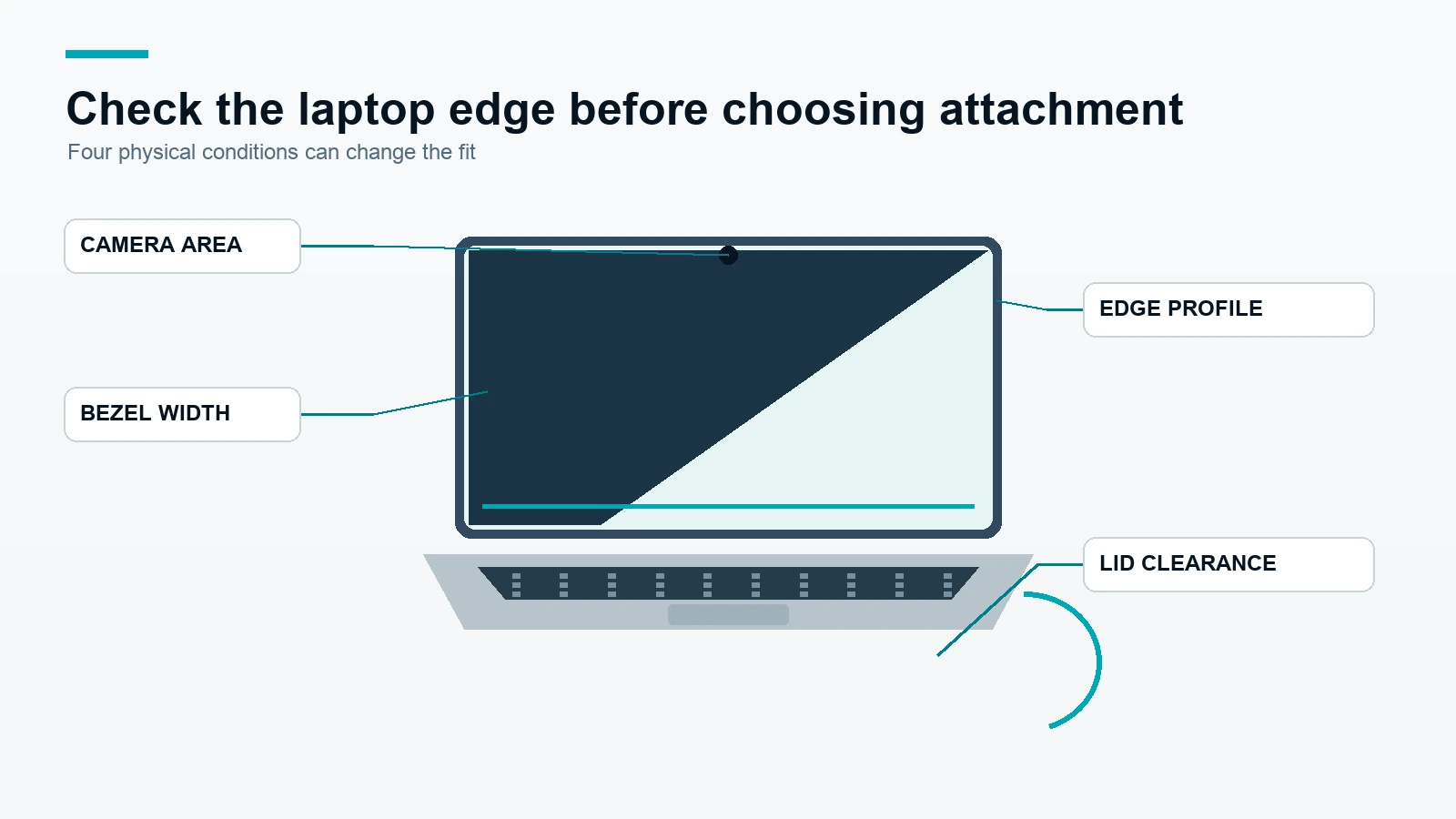
Bezel width, camera position, display edge shape and lid clearance can affect the selected path. A clip can require a suitable top edge. A magnetic approach needs compatible placement and a clear review of the device surface. Direct-attach and adhesive methods require attention to the intended contact area and removal expectations.
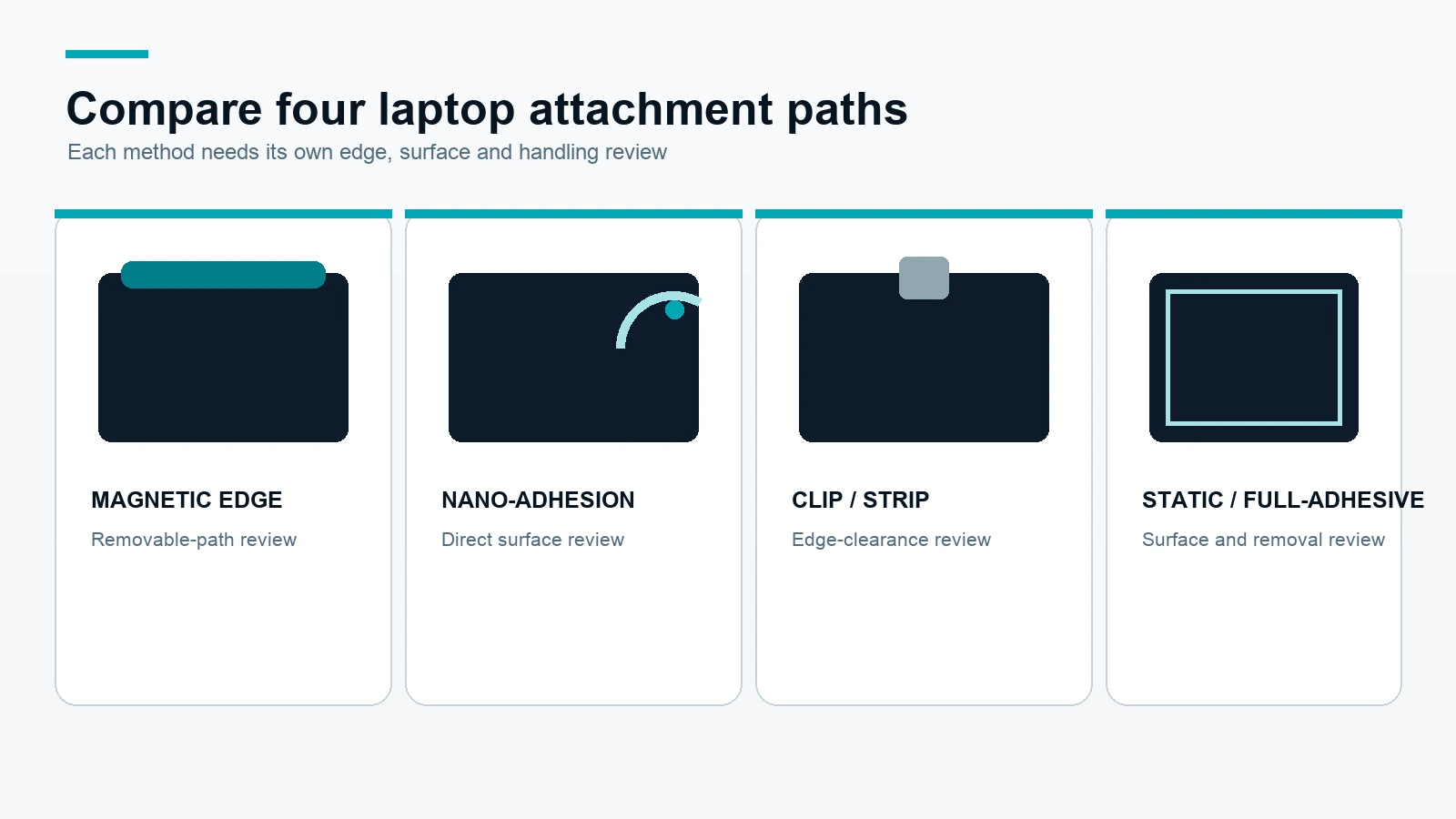
Laptop privacy-screen attachment comparison
| Attachment method | Typical fleet use case | Inputs to confirm | Evidence or review needed |
|---|---|---|---|
| Magnetic | Regular removal, shared devices or users who need a removable path | Model, visible area, bezel and magnetic placement conditions | Device-specific fit and handling review |
| Nano direct-attach | A low-profile filter intended to stay on a compatible display | Visible width and height, edge condition, surface and removal expectation | Sample or written confirmation for the exact device group |
| Clip / full-adhesive | A defined mounting edge or a more fixed installation | Top-edge clearance, bezel, camera position and installation preference | Installation review; adhesive path must be confirmed for the device |
| Static / full-adhesive | A stable, direct surface path where removal requirements are understood | Visible area, surface condition, edge coverage and removal routine | Material and device review before fleet rollout |
The table is a procurement starting point, not a guarantee. The exact product, material and attachment configuration should be identified in the quotation or order confirmation.
How to qualify the device list
Required columns
Use one row per device group, with these fields:
| Group ID | Model | Visible W × H | Ratio | Lid or bezel note | Preferred method | Quantity | Photo received |
|---|---|---|---|---|---|---|---|
| Example group | Exact model to be confirmed | Measure in mm | Calculate from visible area | Camera, edge and clearance notes | Magnetic / direct-attach / clip / adhesive | Buyer quantity | Yes / No |
If the model name is not available, record the screen’s visible width and height and attach a front and edge photo. Keep a model that is only “13-inch” or “14-inch” as an open identification item until the physical fit is reviewed.
Grouping rules
Group devices only when the exact model, visible area, ratio, edge condition and intended attachment are sufficiently similar. If any of those inputs differ, create a separate group or mark the group for sample review. This makes the eventual quotation easier to map back to the buyer’s inventory.
When a photo is required
Request a front photo and an edge or lid photo when the bezel is narrow, the camera area is unusual, the device may close with the filter installed, or the attachment method is uncertain. A photo does not replace measurements, but it can reveal clearance and edge conditions that a model name does not show.
Use the laptop measurement guide before comparing laptop privacy filter options. For larger standard screens, the monitor privacy screen category follows a separate inventory process.
Compare four ScreenWord product paths
Universal Laptop Magnetic
Universal Laptop Magnetic is the relevant path to review when regular removal is important. Confirm the laptop model, visible display area, edge conditions and how the filter will be stored or handled between uses.
Nano-Adhesion
Universal Laptop Nano-Adhesion is a direct-attach path for a buyer who wants the filter to sit on the display surface. Confirm the visible area, contact conditions and whether the device will be used with the filter installed for the expected routine.
Clip / Full-Adhesive
Universal Laptop Clip / Full-Adhesive covers a more defined edge or fixed-installation discussion. The buyer should provide the top-edge, bezel, camera and removal requirements before selecting the final installation.
Static / Full-Adhesive
Universal Laptop Static / Full-Adhesive should be reviewed with the intended surface, coverage and removal routine. Keep the product path separate from the magnetic and clip paths in the device list and quote.
ScreenWord can also review model-specific paths such as MacBook privacy screens and Surface privacy screens when a buyer has a named device family.
Sample and bulk-order decision flow
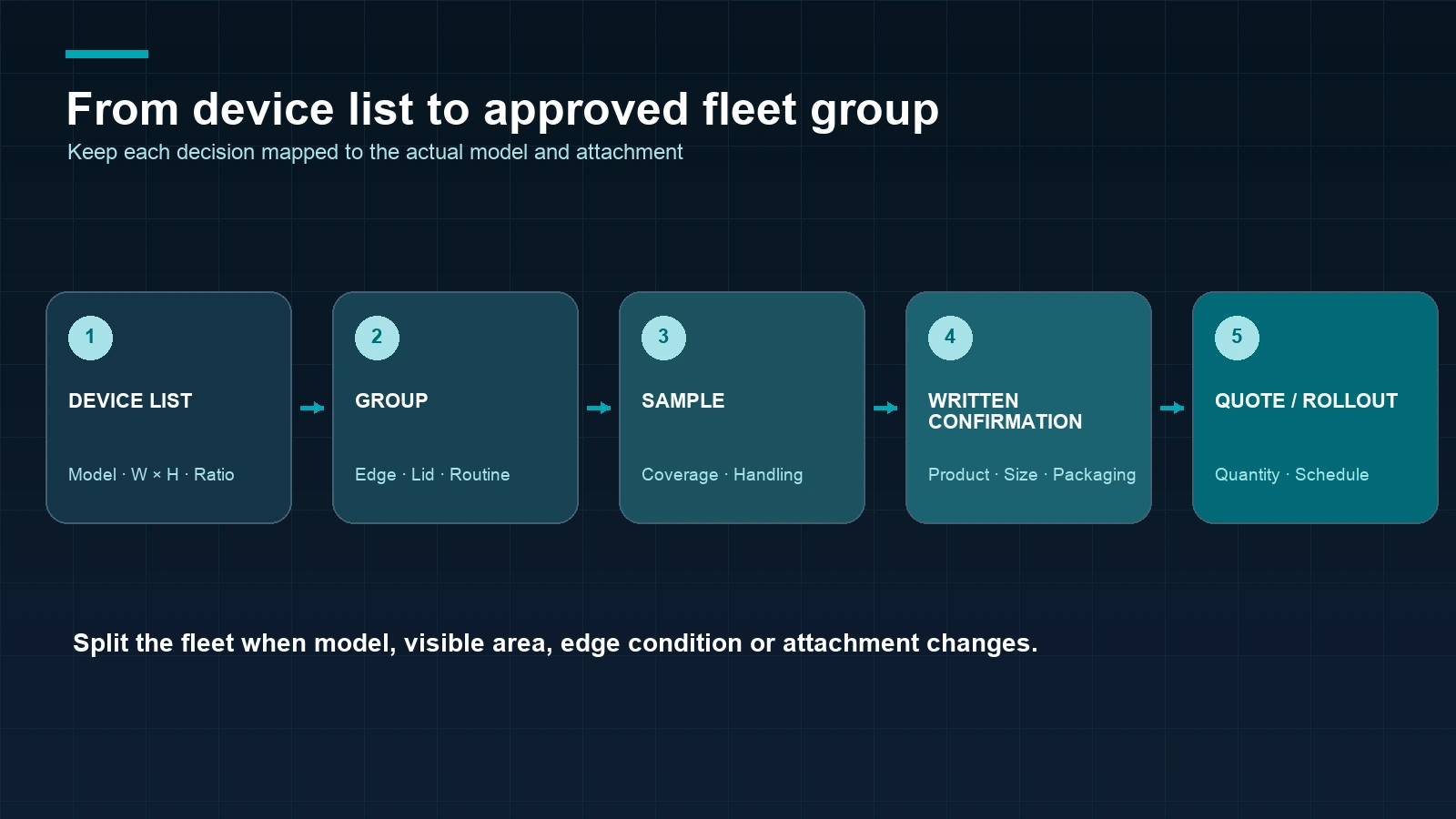
1. Collect the inventory
List exact model names, visible width and height, ratio, quantities, photos and preferred installation routine.
2. Separate device groups
Split mixed models or different edge and clearance conditions into reviewable groups.
3. Select a comparison set
Choose the attachment paths that match the removal routine and device conditions. Keep alternatives visible when the evidence is incomplete.
4. Review a representative sample
Check coverage, edge placement, camera area, opening and closing routine, removal and re-attachment handling, and the user’s view from the intended position.
5. Confirm the written configuration
Map the selected product, material, attachment, size, packaging, quantity, payment terms and timing to the written quote or order confirmation.
6. Roll out by approved group
Use the approved sample or written fit decision for the matching group. Do not transfer a result from one model or attachment method to the whole fleet without review.
For a quote, include sample requirements and the device list in the bulk laptop privacy filter request. Regular in-stock products normally ship within 3 days; samples normally take approximately 2–3 days; custom production normally ships within 7–10 days after the relevant details are confirmed. These are planning signals, not a substitute for the written project schedule.
Frequently asked questions
Is a magnetic laptop privacy screen better than an adhesive one?
Not in every project. Magnetic and adhesive paths solve different removal, edge and installation needs. Compare the exact device list, routine and fit evidence before choosing.
Can one attachment method work across a mixed laptop fleet?
It may work for some grouped devices, but a shared method name does not prove shared fit. Group by exact model, visible area, edge condition and installation requirements.
What measurements do I need for a laptop privacy screen?
Send the visible width and height, aspect ratio when available, exact model, bezel or camera notes, preferred attachment and quantity. Add front and edge photos when the fit is uncertain.
Do adhesive privacy filters always leave residue?
The result depends on the selected material, attachment configuration, surface and removal process. Ask for the exact product path and review it on the intended device before a fleet order.
Should I check a sample before ordering in bulk?
Yes, when fit, removal, camera clearance or user handling matters. A representative sample helps the buyer approve the configuration for a defined device group.
The useful next step is to compare options for your device list with the exact models, measurements, quantities and installation routine.