
Privacy Screen Technology
How Privacy Screens Work—and Which Claims Need Evidence
Learn the basic optical principle behind privacy filters, which display conditions affect results, and which angle, light and blue-light claims require product evidence.

A privacy screen filter is an add-on optical layer placed in front of a display. Its purpose is to make the intended viewing position more useful than an off-center position. That simple explanation is useful for a buyer, but it is not a substitute for product-specific evidence.
This distinction matters when a buyer is comparing a laptop privacy filter, a monitor privacy screen or a custom PET privacy filter for resale or deployment. General optical principles can be explained without inventing a performance number. Exact privacy angles, light transmittance, blue-light reduction, touch behavior and certifications require evidence tied to the exact product or configuration.
What a privacy filter changes in the viewing path
Front viewing position
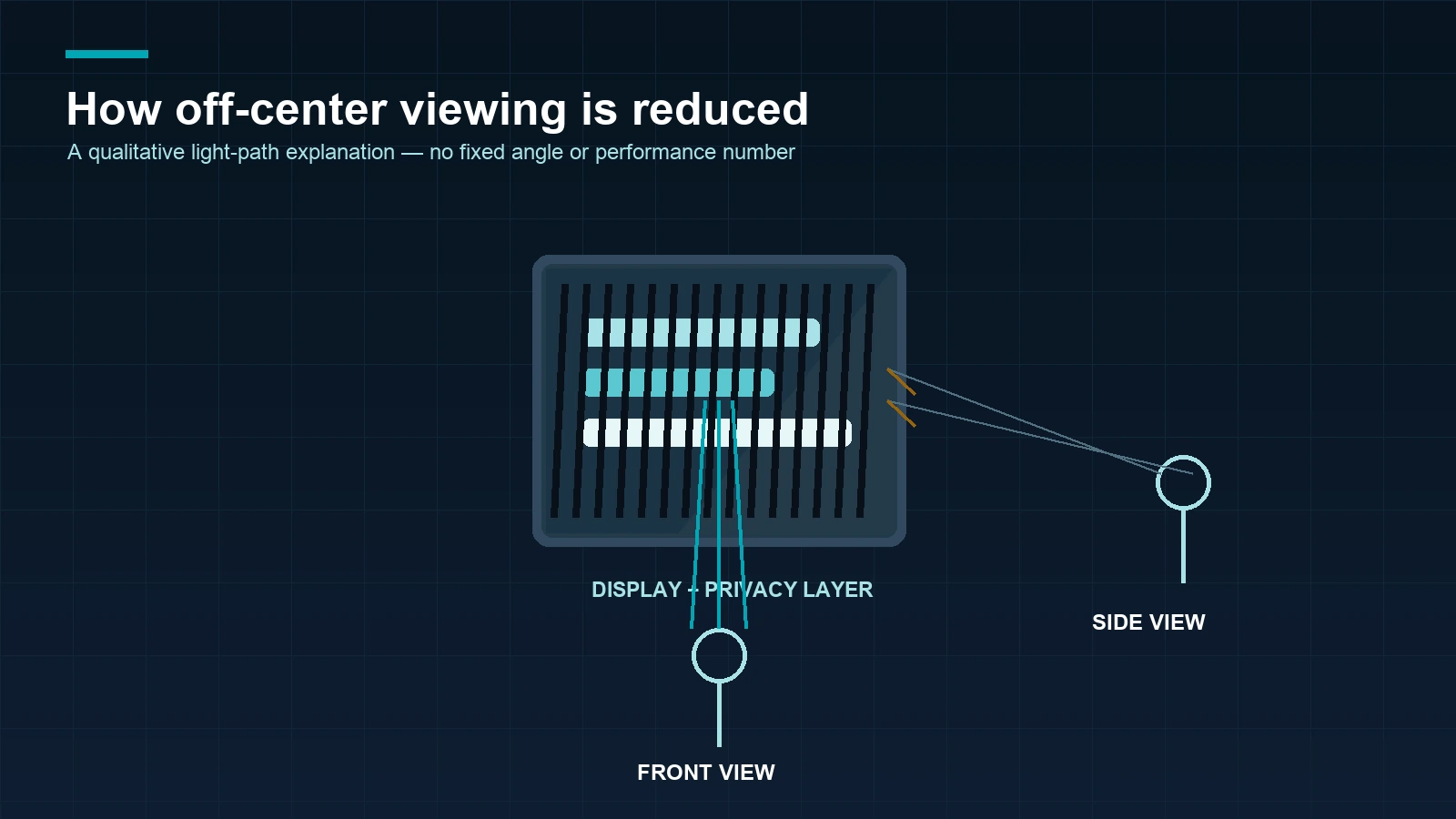
From the intended front position, the user views the display through the filter’s fine optical structure. The display, filter, brightness setting, distance and room conditions all remain part of the viewing experience. A general explanation should therefore describe the viewing path rather than promise an unchanged or perfectly clear image.
For a B2B review, record the display type, visible width and height, aspect ratio, filter material or version when known, and the intended attachment. These fields connect the general principle to the product that will actually be sampled or quoted.
Off-center viewing position
As a viewer moves away from the intended position, the filter is designed to reduce the useful light available to that viewer. This can make screen content less useful from the side, but it does not make the content invisible from every position. Distance, screen brightness, room light and the content on the display can change what another person sees.
That is why a product image should be treated as an illustration, not as a test. If a buyer needs a defined viewing result, ask for a product-specific method or report and identify the material and configuration that were tested.
No. A privacy filter does not automatically hide screen content from someone standing behind the person using the display. If that observer’s line of sight remains close to the display’s front viewing direction, the content may still be visible. What they can see depends on viewing angle and distance, screen brightness, and surrounding light. For procurement, check the expected observer positions in the actual work setting rather than assuming that “behind the user” means the screen is hidden.
Add-on filter versus an integrated privacy display
This article concerns add-on privacy-filter products placed over an existing laptop, monitor or project display. An integrated electronic privacy display is a different product architecture. Claims about an integrated display must not be transferred to an add-on PET filter.
Why the visible result depends on the full setup
Display brightness and image content
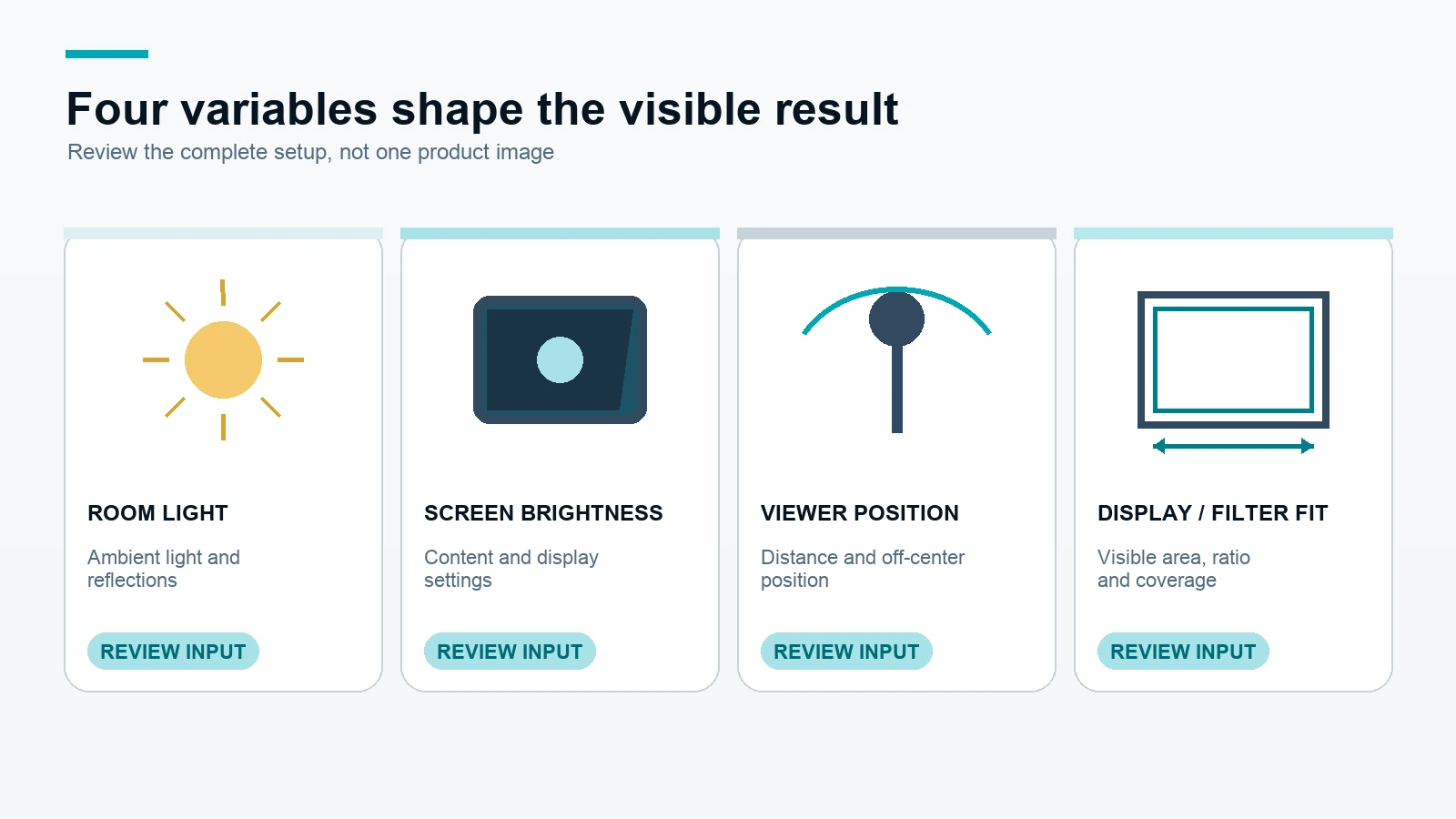
Brightness and the type of content shown affect what the user and an off-center viewer perceive. A dark interface, a bright document and a video frame may not look the same through the same filter. These are setup variables, not evidence for a fixed brightness or privacy promise.
When a project needs a repeatable review, note the display setting and test the selected configuration on the intended device or monitor. Do not describe a generic product photograph as proof of a defined result.
Room lighting and viewing distance
Ambient light, reflections and the distance between the display and the observer also matter. A filter reviewed in a controlled room may appear different in an airport, open office, reception area or production environment. A single front-and-side image cannot reproduce every real installation.
The practical buyer action is to describe the environment and request a sample when the viewing experience is important to approval.
Filter size, ratio and edge coverage
The filter must cover the intended visible display area. If it is too small, an uncovered edge can remain visible. If the ratio or edge condition is wrong, the filter may not sit as expected or the chosen attachment may not suit the display.
Start with the visible width and height, not only the diagonal label. The measure the visible display area guide can help prepare the basic fit inputs before you review laptop privacy filter options or monitor privacy filter options.
General principle versus product-specific evidence
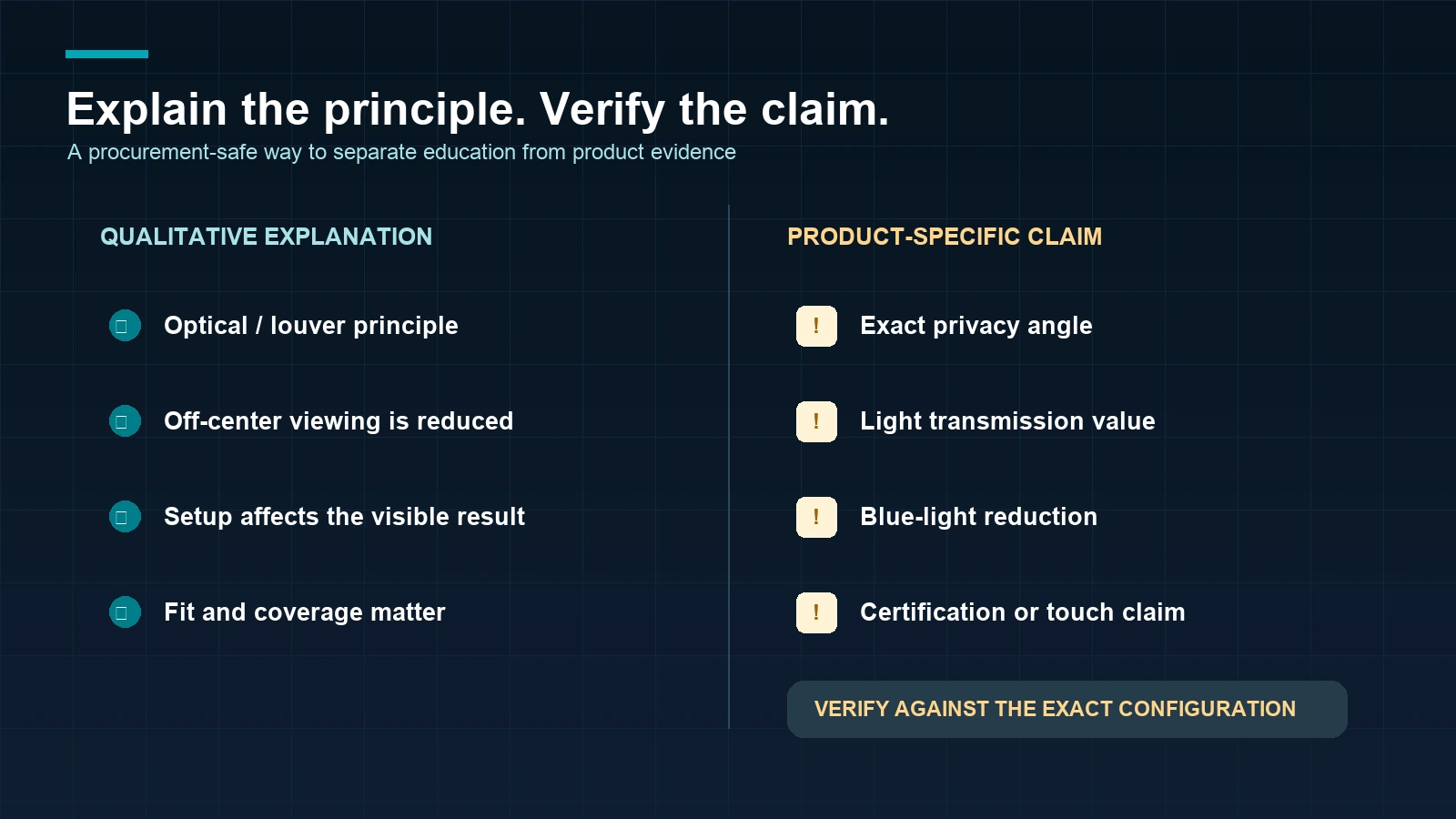
The table below helps a procurement reviewer separate educational copy from a product claim that needs traceable support.
| Statement type | May be explained generally? | Evidence required before a product claim? |
|---|---|---|
| Optical or louver principle | Yes, at a qualitative level | Product construction source for specific wording |
| Exact privacy angle | No fixed number | SKU-linked test method or report |
| Light transmittance | No fixed number | SKU-linked test report |
| Blue-light reduction | A function may be discussed as a request | Function-version definition and test evidence |
| Eye-health benefit | No | Appropriate substantiation and legal/PM approval |
| Certification or compliance | No | Valid certificate mapped to the exact product and entity |
| Touch compatibility | No | Device- and installation-specific validation |
For example, “the filter is designed to reduce useful off-center viewing” is a general explanation. “This SKU blocks a stated percentage at a stated angle” is a product claim and needs a report mapped to that SKU, material and method.
What a B2B buyer should request
Product identity and material version
Ask which product record, material version and installation path the information refers to. A family name is not enough when several laptop, monitor or custom configurations exist. If the project concerns a PET privacy filter, keep PET wording separate from any Acrylic configuration.
Test scope and report mapping
If an exact angle, transmittance, blue-light or touch statement matters, ask for the test scope, method, tested material/version and report reference. A report for one configuration should not be treated as universal evidence for every size, device or installation method.
Display and installation inputs
Send the device or display type, visible width, visible height, ratio, edge condition, preferred attachment, quantity and intended application. For a custom privacy filter, add outer dimensions, cutouts, touch context, packaging and any drawing or photo available.
Use the custom privacy filter project route when the display is not a standard laptop or monitor. When the evidence request is ready, request material-specific information with the product or display details.
How ScreenWord handles an evidence-bounded request
The practical workflow is:
- Buyer brief: submit the device or display, visible dimensions, installation preference, material/function request and quantity.
- Configuration discussion: separate the relevant product family, attachment and project requirements.
- Evidence review: identify which statements are general explanations and which need product or test evidence.
- Sample or project confirmation: review fit, handling and the requested use on the intended display when needed.
- Written specification: confirm the final configuration, quantity, packaging, timing and quotation in writing.
ScreenWord’s approved operating information includes a Dongguan, Guangdong, China base, approximately 5,000 m² of factory space, 15 professional production machines and standard business timing guidance. Those company/process facts do not replace product-specific technical evidence. Regular in-stock products normally ship within 3 days, samples normally take approximately 2–3 days and custom production normally ships within 7–10 days after the relevant details are confirmed; the final schedule remains project-specific.
Frequently asked questions
Does a privacy filter make a screen invisible from the side?
No. It is designed to reduce the useful view from off-center positions, but room light, brightness, distance, content, filter fit and viewing position affect what another person can see.
Is one privacy angle valid for every privacy filter?
No. An exact angle is a product-specific claim. Ask for a report or method tied to the exact material, version and configuration instead of transferring a number from another product.
Does every privacy filter reduce blue light?
No. Blue-light behavior must be tied to the selected function version and supported by relevant product evidence. Do not infer it from the term privacy filter alone.
Can a product image prove viewing performance?
No. An image can illustrate a use case or viewing direction, but it cannot replace a defined test or confirm a result for every display and environment.
What information should I send for product-specific technical data?
Send the product or configuration reference, display type, visible width and height, ratio, installation, material or function request and quantity. Add a device photo, drawing or sample requirement when it helps identify the setup.
The useful next step is not a larger claim. It is a cleaner evidence request. Start with laptop privacy filter options, monitor privacy filter options, or request material-specific information.