
Monitor Privacy Screens
Monitor Privacy Filters for Office Fleets
Build a monitor privacy-filter schedule using visible dimensions, ratio, workspace, attachment and quantity. Compare magnetic, direct-attach and hanging options.

An office monitor privacy-screen project starts with an inventory, not a favorite product label. Shared workspaces, reception desks, finance teams and open offices can have different viewing positions, monitor sizes, desk arms and removal routines. A useful buying checklist connects those conditions to the visible display area and the installation path.
This guide is designed for a buyer reviewing a single monitor group or a mixed fleet. It keeps PET privacy-filter paths separate from the hanging acrylic option and treats a sample or written fit review as part of the procurement process.
Define the office deployment
User and adjacent viewing positions
Describe who needs the screen to remain useful and where an adjacent viewer may stand or sit. A shared office, reception counter and private desk can have different sightlines. The privacy objective should be written as a use case, not as an unsupported percentage or fixed angle.
Record whether the screen is viewed mainly from the front, whether people pass beside it, and whether users need to show content to a colleague. These details help compare an always-on installation with a removable path.
Desk, arm, reception or integrated display
Identify how the monitor is mounted. A desk stand, monitor arm, reception enclosure and integrated workstation can create different edge, clearance and handling conditions. Note whether the filter must remain in place while the screen is moved or adjusted. For a desk with two displays, use the two-monitor desk layout review.
Removal and screen-sharing frequency
Ask how often users remove the filter, share the display or change the monitor setup. A removable attachment may suit a shared training area, while a fixed path may suit a consistent workstation after fit review.
Build the monitor inventory
Inventory template
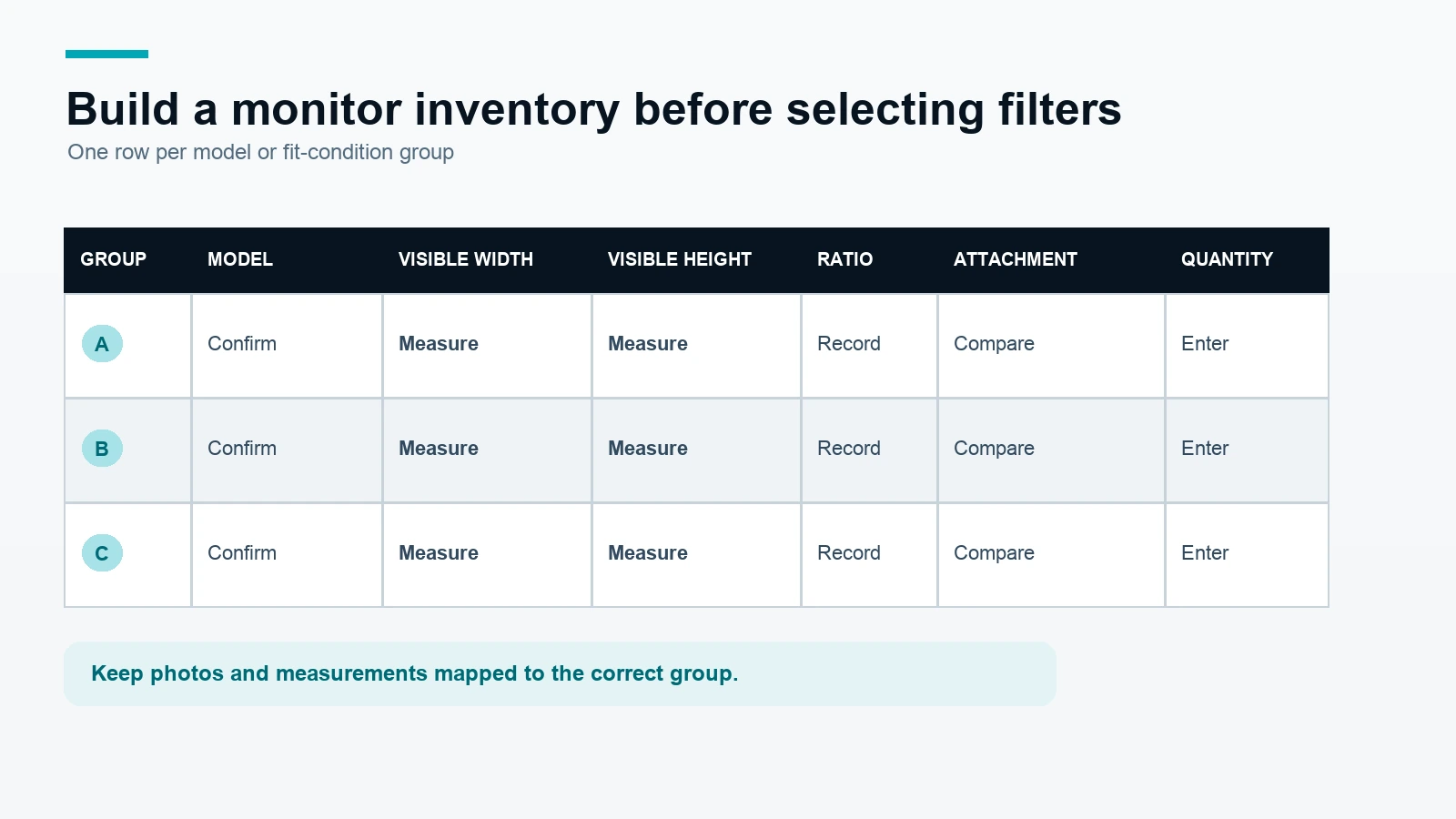
Use one row for each model or condition group. The same model should be split into separate groups if the mounting or edge conditions differ.
| Group ID | Model | Visible W × H | Ratio | Flat / curved status | Edge / housing note | Quantity | Preferred method | Photo received |
|---|---|---|---|---|---|---|---|---|
| Group 01 | Exact model to be confirmed | Measure in mm | Record ratio | Flat or curved | Bezel, stand, arm and clearance | Buyer quantity | Magnetic / direct-attach / clip / acrylic | Yes / No |
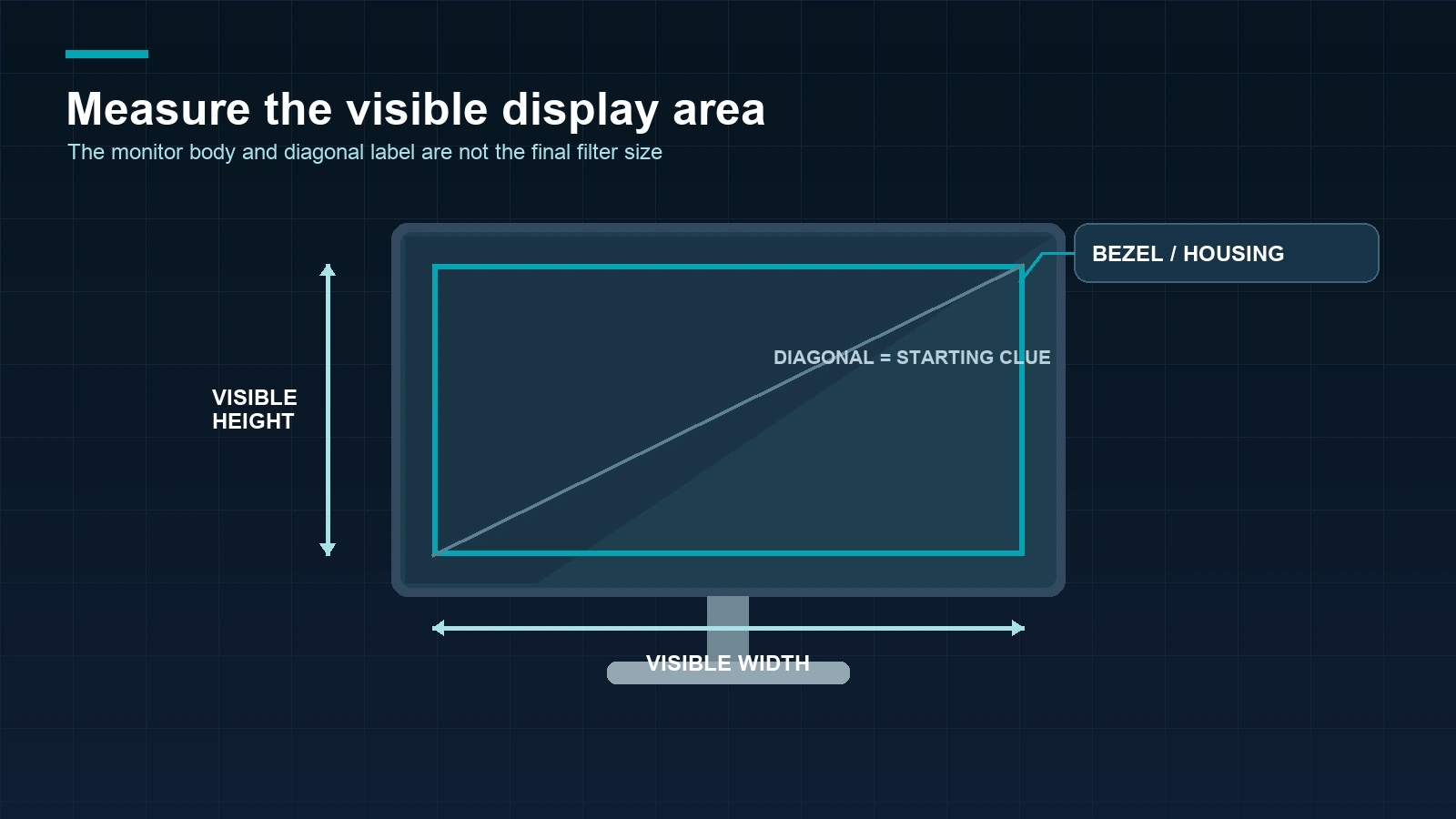
The inventory should distinguish the visible display area from the outer monitor body. A model name and diagonal label are useful starting points, but they do not establish the final filter size.
Group by fit conditions
Group monitors only when model, visible width and height, ratio, flat or curved status, edge condition, mounting and preferred method are sufficiently similar. Create a new group when a curved display, narrow bezel, unusual housing or integrated mount changes the installation review.
Record evidence received
Mark whether the buyer supplied a front photo, edge or housing photo, and measurement record. If the project includes multiple monitor generations, keep the evidence mapped to the correct group rather than placing every image in one general folder.
Use the monitor privacy screen category to compare available families and the standard monitor privacy filter path for a starting product reference.
Measure the visible display area
Visible area versus monitor body
Measure the active visible width and height from the display area, not the full housing. Record the unit used and whether the measurement includes a border. If the filter needs to sit inside a bezel or cover a specific edge, state that requirement separately.
Diagonal size is only a starting point
Diagonal labels can help identify a family, but different ratios and bezels can produce different visible width and height. Use the diagonal as an identification clue, then confirm the dimensions that the filter must cover.
Edge, stand and mounting photos
Add a front photo for visible-area context and an edge or mounting photo when the monitor has a narrow bezel, arm, enclosure, curved surface or unusual clearance. Photos help the review but do not replace the measurement record.
The measurement guide can help prepare the visible-area inputs. For a fleet quote, include model groups, measurements, photos, quantities and the intended installation in the bulk order request.
Compare monitor installation paths
| Installation path | Material / format | Best reviewed for | Buyer inputs | Key separation |
|---|---|---|---|---|
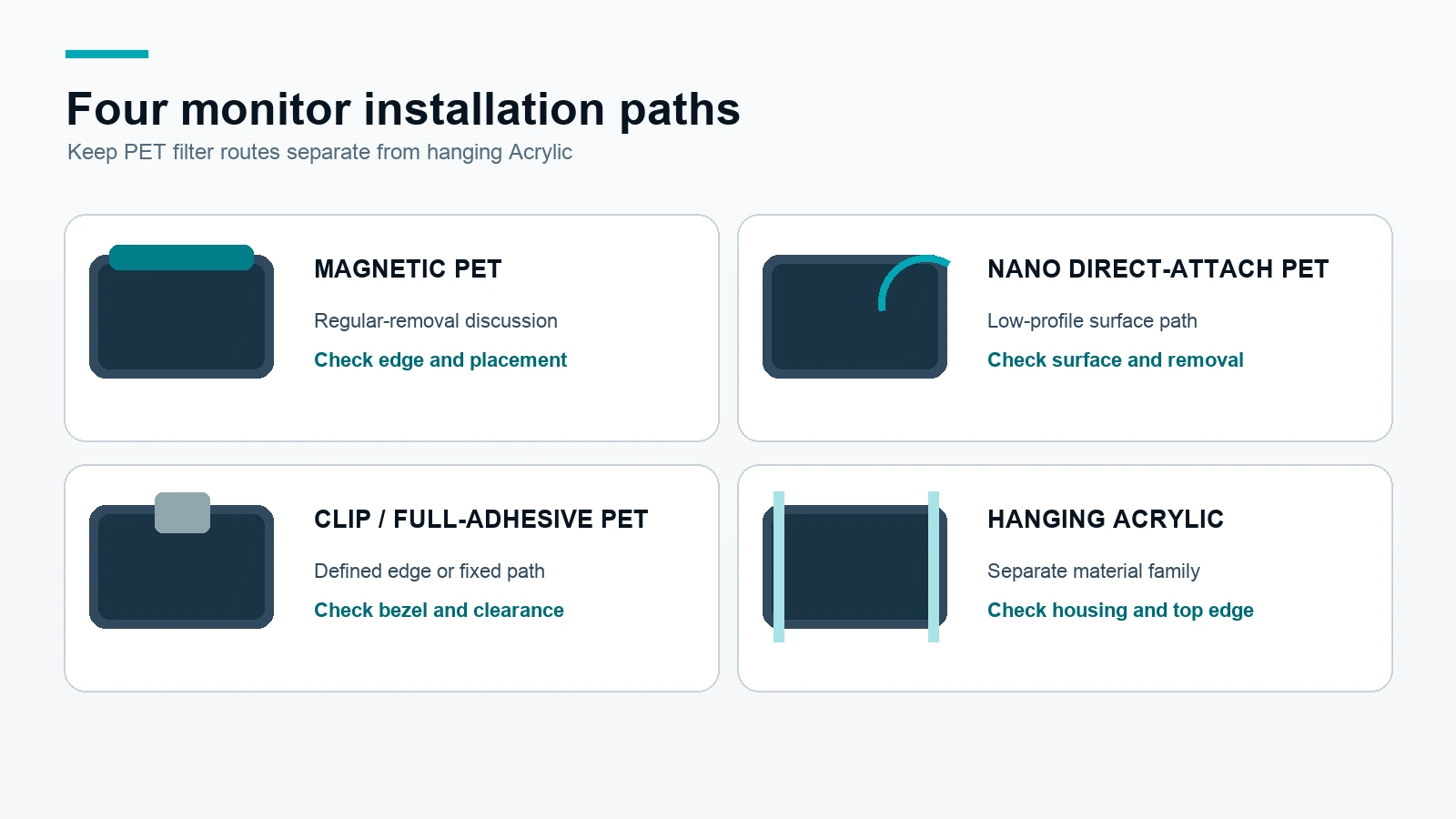
| Magnetic PET | PET privacy filter | Regular removal or shared monitor use | Visible area, edge and placement conditions | Confirm magnetic placement and handling |
| Nano direct-attach PET | PET privacy filter | Low-profile direct attachment on a compatible display | Visible area, surface and removal routine | Confirm the exact display surface and sample |
| Clip / Full-Adhesive PET | PET privacy filter | Defined top edge or more fixed installation | Bezel, housing, clearance and removal expectation | Confirm the attachment path for the monitor |
| Hanging acrylic | Acrylic privacy screen | Monitors where a hanging format suits the housing and use | Outer geometry, top edge and clearance | Keep Acrylic separate from PET filter claims |
These paths are not interchangeable product claims. Review the magnetic monitor privacy screen, nano-adhesion monitor privacy filter, clip or full-adhesive monitor privacy filter and hanging acrylic monitor privacy screen routes as separate options.
Plan sample and rollout
Choose representative groups
Select a sample group for each materially different model, ratio, edge condition or installation method. A high-volume group may deserve priority, but volume alone does not replace fit evidence.
Record sample observations
Review coverage, edge placement, mounting clearance, removal routine, user handling, front viewing and the intended adjacent viewing situation. Record open questions rather than converting an observation into a general product claim.
Confirm a written order schedule
After the sample or fit discussion, map the approved group to the product path, material, size, quantity, packaging, payment conditions and delivery schedule in writing. Regular in-stock products normally ship within 3 days, samples normally take approximately 2–3 days and custom production normally ships within 7–10 days after the relevant details are confirmed.
Six-step procurement checklist
- Define the workspace and privacy objective.
- Build the monitor group inventory.
- Measure visible width and height.
- Add edge, housing and mounting photos.
- Compare installation paths and review representative samples.
- Confirm the selected configuration and schedule in the written quote or order.
The monitor fleet review request should include the inventory template, photos, quantities and sample requirements.
Frequently asked questions
What is the first step when buying monitor privacy filters for an office?
Start with the workspace use case and a monitor inventory. Record exact models, visible width and height, ratio, mounting, edge conditions, quantities and removal needs before choosing an attachment path.
Is the largest monitor group automatically the best sample group?
Not always. Sample groups should represent different fit and installation conditions. A smaller group with a curved display, narrow bezel or unusual housing may need its own review.
Can a diagonal monitor size determine the privacy-filter size?
No. Diagonal size is a starting clue. Confirm the visible width, visible height, ratio and edge coverage required by the actual monitor.
Are PET and hanging Acrylic monitor screens the same product path?
No. Hanging Acrylic is a separate material and format. Keep its geometry, handling and product evidence separate from PET privacy-filter paths.
Should a monitor privacy screen be tested on a sample before fleet rollout?
When fit, clearance, handling or removal matters, a representative sample is a useful approval step. The result should be mapped to the defined monitor group and configuration.
What should I include in a monitor-fleet inquiry?
Send the model list, visible width and height, ratio, flat or curved status, edge and housing notes, photos, quantities, preferred method, sample needs and target schedule.
For the next step, request a monitor fleet review with the completed group inventory.