
Monitor installation decisions
Curved Monitor Privacy Filters: Review Surface Contact Before Ordering

Review surface contact, edge support and sample questions for a curved monitor privacy filter. Do not assume a flat filter can be bent to fit.
When choosing a privacy filter for a curved monitor, start with how the proposed filter will sit in front of the display: where it should touch, where a gap is intended, and what will hold its edges. Then review the user’s working view across the screen on the proposed setup. A diagonal size match does not answer those questions, and a flat filter should not be forced into a curve to make it fit.
Use the review below as a procurement planning method for discussing a candidate and evaluating a sample. It helps turn “we need privacy on this curved screen” into a specific configuration request.
Describe the screen shape and support
Use the manufacturer model drawing when available
Start with the exact monitor model and any variant or revision shown on the device. Find its manufacturer drawing, specification or user guide, and retain the document title, page and revision with the request. If a drawing describes only the outside housing, say so; it should not be treated as a drawing of the display surface.
Keep three things distinct in a marked photo or drawing: the visible display, the surrounding glass or housing, and the places proposed to support the filter. Show the top and side edges, any raised frame or recess, and controls or openings that must remain accessible. Identify an existing screen layer or enclosure if one is present.
If the official document does not describe the relevant surface, leave that point open and include front and edge photos of the actual device. Ask for the missing detail instead of estimating the curve from a promotional image.
Do not infer curvature from an inch label
The diagonal label is a size reference, not a description of curvature, frame shape or attachment space. An aspect ratio likewise describes the display proportions rather than how a filter will meet its surface. Record any curvature designation exactly as the manufacturer gives it, with its source; do not calculate or guess a radius from the diagonal.
Keep existing dimensions in the privacy filter measurement worksheet. If you still need the basic measurement procedure, use how to measure a screen for a privacy filter. Visible-area measurements, full-glass measurements where relevant, and planned filter coverage should remain separate. This assembly review adds the contact and support questions rather than turning those dimensions directly into a finished filter size.
Review how the filter meets the curve
Contact, gap and edge retention questions
Ask the supplier to describe the proposed relationship between the filter and the monitor before choosing an attachment by name.
- Contact: Which surface, if any, is intended to touch the filter? Is contact proposed across an area or only at identified support points? Keep a drawn proposal separate from what has actually been observed.
- Gap: Where is separation intended, and where is it still unknown? A visible space could be part of a proposed arrangement or a seating problem; the intended configuration gives you the basis for judging it.
- Edge retention: What keeps the filter in position, and where may that support act? Ask about access to controls and openings as well as the screen boundary. The monitor frame and the display surface are not interchangeable attachment areas.
Use this table for one exact device and candidate configuration. Enter the source reference and refine the open question before a sample discussion. Leave actual observations blank until someone carries out the review.
| Review item | Source or reference | Open question to resolve | Actual observation | Follow-up / owner |
|---|---|---|---|---|
| Curve and screen construction | Does the model document describe the display surface or only the housing? | |||
| Intended contact | Where is contact intended, and which surface would it involve? | |||
| Intended gap | Where is a gap intended, and which areas remain undefined? | |||
| Edge retention and access | What retains the edges, and are controls and openings accessible? | |||
| User and observer positions | Which tasks and positions must be reviewed across the screen? | |||
| Sample installation and removal | Which configuration and instruction revision will be used? |
Keep the proposal reference beside the observations. That makes it possible to distinguish an intended gap from an unexpected one without treating every visible difference as a defect.
No forced bending or unapproved cutting
Do not bend a flat standard filter by force, trim it, heat it or add improvised pressure to make an uncertain assembly sit down. If it will not seat using the supplied instructions, stop the installation and describe where the mismatch occurs. A proposed material or attachment change belongs in a revised configuration, not in an undocumented on-site adjustment.
For a sample request, ask for instructions tied to that candidate, including how it is supported and how it may be removed. A method demonstrated for another filter or monitor should not fill a missing step in the proposed setup.
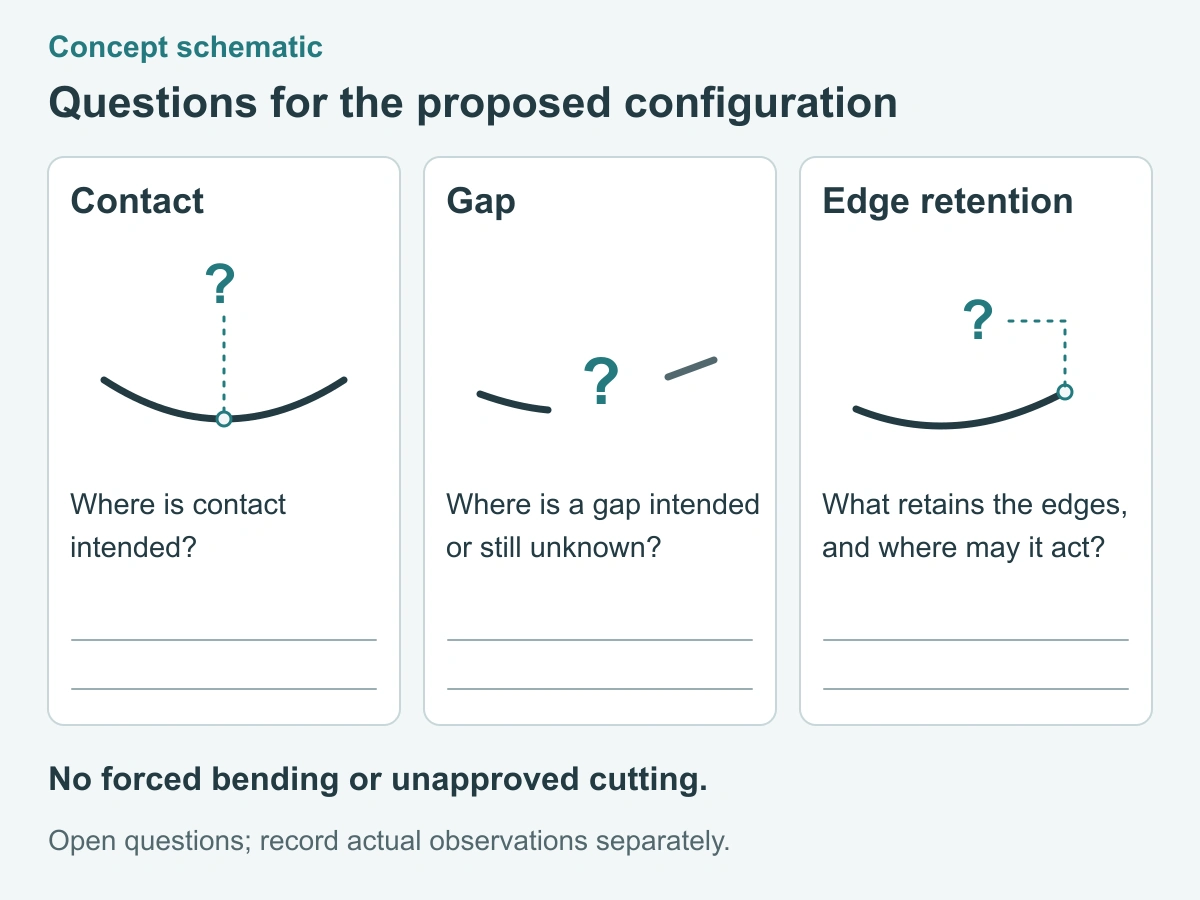
Evaluate the proposed assembly
Center and edge observation positions
Start from the employee’s normal working position and use a familiar task with fictional content: read a row of text, move between application panels, or follow information across the desktop. Record the monitor position, user posture, application and brightness setting so the same task can be repeated without changing several conditions at once.
Look at content in the center, then near the left and right screen edges from that same normal position. Here, “center and edge” refers to locations on the display, not three different places where the user must sit. Note any area that requires the user to lean, turn or move the screen to read it.
Separately, check the nearby observer positions relevant to the workplace, such as an adjacent chair or aisle. Record what is readable from each position rather than writing a guessed blackout angle. Keep the user position and observer position clearly labeled; changing the desk layout changes the question being evaluated.
Compare the normal working setup without the proposed filter with the candidate installed according to its instructions. Keep any existing screen layer identified in both records. Record the actual changes in readability and working posture, including no observed change where that is what happened. Do not substitute an angled product photograph for these observations.
Record installation and removal behavior
Record the sample reference, instructions used and the person carrying out the installation. Note whether the intended support locations can be reached, whether seating is clear, and whether an edge lifts or moves during ordinary use. Describe the location and action rather than recording only “fits” or “does not fit.”
Where removal is part of the intended routine and permitted by the instructions, record how it works and whether replacing the filter returns it to the proposed position. If removal is not part of the configuration, record that instead of trying it for the worksheet. Unexpected resistance or an unclear step is a reason to stop and ask for guidance, not to pull harder.
Keep photographs and written notes mapped to the same candidate. A revised attachment or support arrangement needs its own reference so later discussion does not mix observations from different samples.
Choose standard review or custom review
Keep unconfirmed configurations out of a bulk release
Use the monitor privacy filter options to identify a starting product route. An existing catalog option can be reviewed against the exact monitor, but its size label does not establish a curved installation. If the proposed contact, coverage or support is outside the documented arrangement, use a custom privacy filter project review to describe the difference.
ScreenWord’s ability to supply a particular curved configuration must be confirmed for that request. Before releasing a bulk order, match the written configuration to the sample record: monitor, coverage, material, attachment, support arrangement and instructions. Keep unresolved seating or viewing issues out of the released scope; a later change to the monitor or assembly should return to the affected review points.
Request a configuration review with the exact device and work setting, drawing or configuration reference, required quantity and the contact, gap or edge question you need to resolve. Paste a short summary into the form. Share supporting drawings, photos and sample notes separately through the WhatsApp, Telegram or WeChat options provided on the site.