
Custom purchase decisions
Can You Cut a Privacy Filter? When a Custom-Cut Part Is the Better Choice

Understand why resizing a finished privacy filter differs from ordering a custom-cut part, and compare safer purchasing options before trimming.
Do not treat a privacy filter as safe to resize simply because part of it looks like thin film. A finished filter may include magnetic strips, support tabs, adhesive areas, reinforced edges, orientation marks or openings for cameras and sensors. Changing its outline can remove or reposition something that identifies, attaches or supports the finished part.
The non-destructive buying answer is to identify the exact item first. If the supplier’s documentation does not authorize a physical change to that item, choose the correct standard size, use a manufacturer-supported resize service if one is offered, or order a factory custom-cut part. This article helps select among those paths; it is not a cutting tutorial.
Understand what trimming can remove
Attachment edges, camera cutouts and part identification may be affected
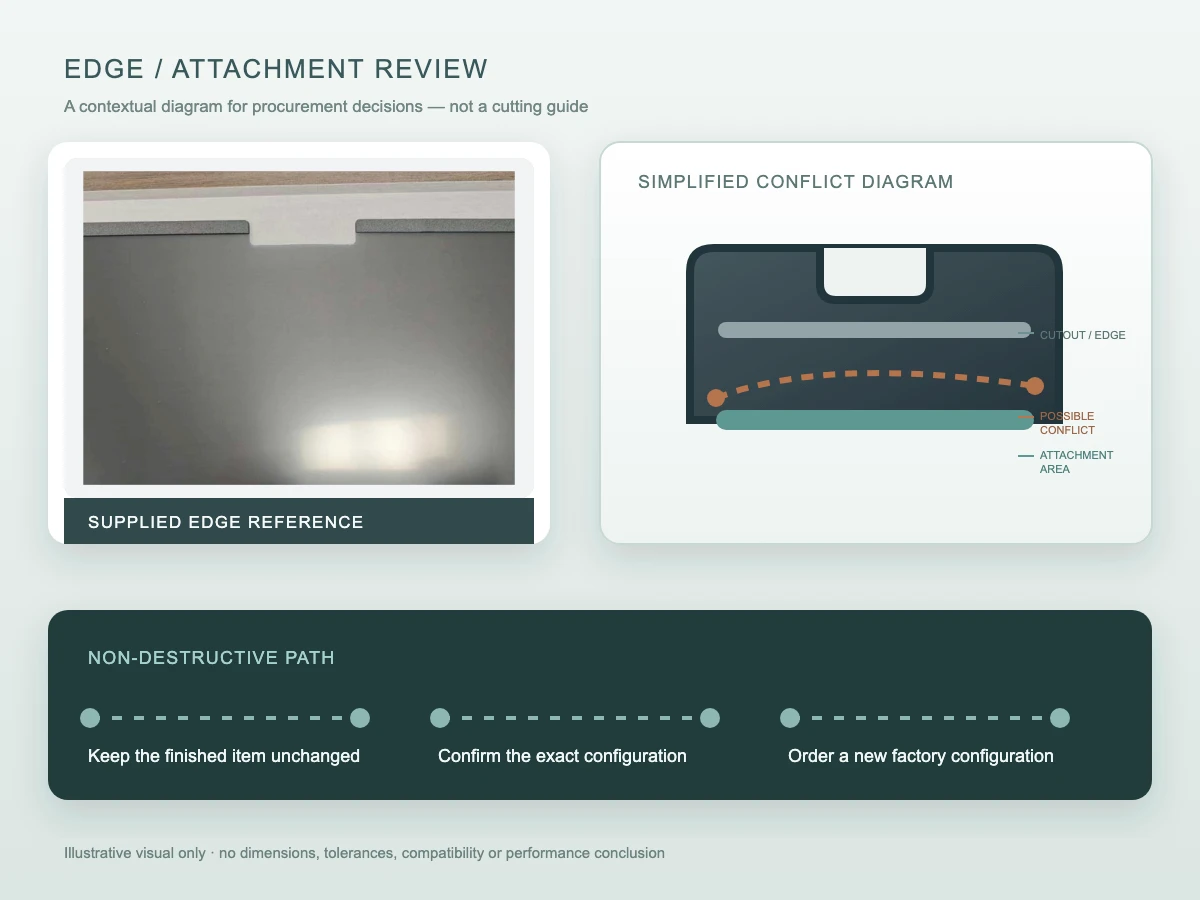
A finished privacy filter is more than its central viewing area. Its perimeter may carry the features that keep it in place, clear a camera or sensor, indicate the display-facing side, or identify the product and orientation. A proposed new boundary can pass through those features even when the central sheet appears continuous.
Before choosing a replacement path, compare the existing part with its product record and installation information. Record magnetic or supported edges, tabs, adhesive zones, cutouts, corner shape, labels and directional marks. Do not use the visible sheet alone to decide that the finished item can be resized.
A plain film and a magnetic or supported assembly are not the same object
Public discussions may refer to a plain film without describing a complete assembly. That does not establish permission for a magnetic, framed, supported or pre-cut item. The universal laptop magnetic privacy screen is an example of a finished product route with an attachment structure; its product identity and fit need to remain tied to the supplied configuration.
Even a sheet that appears plain may have directional behavior, finished edges or material conditions not visible in a photograph. Treat “plain film” as a description to verify, not as automatic authorization to alter it.
Separate general cutting advice from permission for a finished product
A public guide is not an instruction for every filter
A real buyer question about cutting a filter shows that this uncertainty exists, but the question and its answers do not define ScreenWord products. Likewise, a general screen-privacy guide from ViewSonic discusses cutting in broad terms; that guidance does not cover every material, magnetic strip, support, cutout, adhesive system or finished edge.
The important distinction is product identity. Advice written for an unspecified film cannot be transferred to a finished part with a different construction. It also cannot confirm that a modified part retains the same fit, handling or optical behavior.
Use documented authorization for the exact item before any physical modification
Look for written instructions or confirmation tied to the exact product and version. The documentation should identify whether modification is allowed and what manufacturer-supported service, if any, applies. Absence of a prohibition is not the same as permission.
If that authorization is not available, keep the item unchanged. Record why it does not fit and use the decision tree below to select a purchasing path. Do not improvise a method or use an unrelated product guide as substitute instructions.
Choose among three non-destructive purchasing paths
Correct standard size if already available
Choose a listed standard size when its visible-area coverage, outer boundary, aspect ratio, edge clearance, cutouts and attachment match the target device. Use the existing privacy filter measurement worksheet to carry forward measurements already taken; this article does not repeat the measuring procedure.
If the current part was ordered for another model or visible area, a correct standard replacement is usually a clearer procurement record than altering the finished item. Keep the device and product reference with the new selection so that “same diagonal” is not mistaken for identical geometry.
A supported manufacturer resize service when offered
Some suppliers may offer a service for a defined product. Treat it as an available path only when the manufacturer confirms that the exact item is eligible and documents the resulting configuration. A general ability to produce another size is not proof that an already finished part can be reworked.
Ask for the service scope, the product/version it covers and the reference that will identify the returned or replacement part. If no supported service exists, move to a correct standard size or a factory custom-cut request instead of creating a field workaround.
A factory custom-cut part for a different boundary or cutout
Use a factory custom-cut route when the required outer boundary, radii, cutout, attachment area or enclosure clearance differs from standard options. 3M’s custom-size program confirms that a factory custom purchasing path exists in the market; its size limits, policies, availability and timing are not transferred to ScreenWord.
For ScreenWord, begin with a custom privacy filter project review and describe the actual device, boundary and attachment context. A custom request is a new documented part configuration, not permission to reshape an unidentified finished filter.
Use this non-destructive decision tree before purchase or replacement:
- Identify the exact item and structure. Is it verified plain film, or a finished assembly with magnetic strips, supports, adhesive zones, finished edges, cutouts or orientation marks?
- Check the effect of a changed boundary. Would the proposed outline remove, intersect or reposition any attachment, support, cutout, label, directional reference or finished edge?
- Look for item-specific written authorization. If the exact documentation does not authorize physical modification, keep the item unchanged.
- Choose the procurement path. Use a correct standard size when geometry and attachment match; use a manufacturer-supported resize service only when offered for the exact item; otherwise request a factory custom-cut part for the required boundary or cutout.
- Preserve the decision record. Link the device, measurements or drawing revision, selected path, product/configuration reference, quantity and unresolved question.
Prepare the custom-cut request
Provide existing measurement and drawing references
Reuse the measurements, marked photos or drawing reference already prepared for the device. State the visible area, required outer boundary, corner or cutout need, enclosure clearance, attachment context and quantity. Keep units and the drawing revision visible so that a later shape is not compared with an obsolete reference.
The custom privacy filter buyer brief explains the broader RFQ fields for industrial displays, including geometry, cutouts, stack and attachment. Link to that record instead of creating a second measurement or RFQ worksheet here.
Do not rotate directional material or assume a changed part remains equivalent
A different outline may tempt a buyer to rotate a proposed part to make dimensions appear to fit. Do not assume that width and height can be exchanged or that a changed orientation preserves the intended viewing direction, attachment layout or product identity. Confirm orientation as part of the requested configuration.
Likewise, do not describe a physically changed finished part as equivalent to the original without product-specific evidence. A new factory configuration needs its own drawing or reference and written confirmation.
Request a configuration review with the actual device and task, the selected standard, supported-service or factory-custom path, quantity, existing measurement or drawing reference, and the question still to resolve. Paste a concise summary into the form. Share supporting photos or files separately through the site’s provided communication channels, following their instructions.